How come the text gets smaller and smaller in Netscape 4.x?
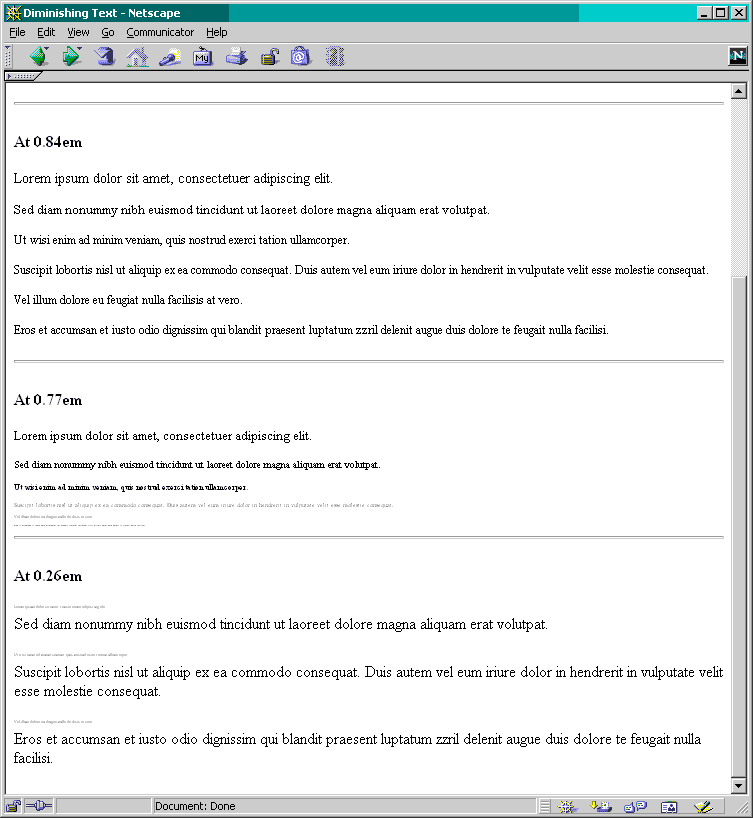
Despite all the p elements being closed, Netscape 4.x treats each subsequent paragraphs (or other elements) as direct child of the first, thereby reducing the text sizes.
Problems first occur with relative sizes units (em, en, %) after a 16 percent reduction in size (e.g., 0.84em, 0.84en, 86%). The diminishing problem appears at about 77 percent the original size (e.g., 0.77em, 0.77en, 77%).
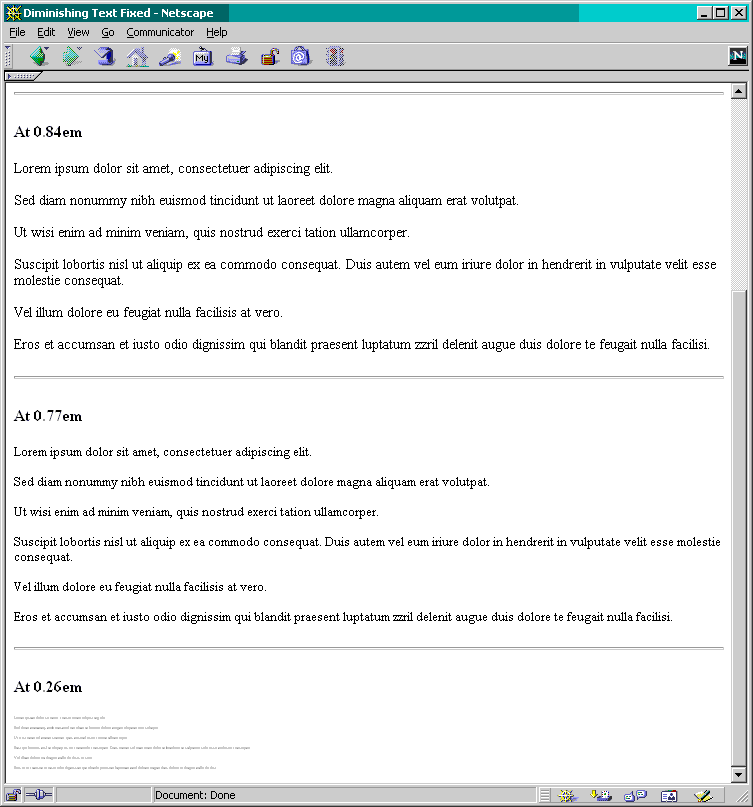
The size returns to normal once the text reaches 26 percent of the original (e.g., 0.26em, 0.26en, 26%), but the subsequent paragraph restarts the cycle. The reason appears to because the close p and the open p are flush against one another (like so: </p><p>). Add one character (a space, or a line break), and the problem is fixed (e.g., </p> <p>).
- View a Netscape 4.76 screen capture of the problem
- View a Netscape 4.76 screen capture of the fixed page.